

The best background for product photography depends on where the photo will be used. For the main image on Amazon, Flipkart and most marketplaces, use plain white (Amazon asks for pure white, RGB 255,255,255). For your other listing images, Instagram and WhatsApp, use light grey, black, wood or a festive set that suits the product and your brand.
This guide is for Indian sellers on Meesho, Amazon, Flipkart, Myntra, Instagram and WhatsApp who shoot their own products or are tired of paying for reshoots. With Diwali on 8 November 2026, you get the marketplace rules in one table, the right colour per product, DIY setups with rupee prices, festive ideas, and where AI backgrounds beat a physical backdrop.
Key takeaways
- Main marketplace image: pure white background, product filling about 85% of the frame, nothing else in the shot.
- Extra images and social posts can use grey, black, wood, pastel or festive sets, and these often sell the product better.
- Choose colour by product: white for most items, grey for white or silver products, black for jewellery and watches.
- A DIY white backdrop costs almost nothing; a proper white paper roll costs about ₹3,300 to ₹8,000.
- AI background tools can turn one phone photo into white, studio and festive versions, but the product must stay true to life.
- Google Merchant Center asks that AI-generated images keep their AI metadata, so never strip it.
What is the best background for product photography?
Short answer: white for the main image, anything clean and on-brand for the rest. A background has one job, which is to make the product easy to see and easy to trust. If a buyer notices the background before the product, it is the wrong background.
Split your listing into two kinds of photos. The rule image is the main image in search results; the marketplace decides its background. The story images are photos 2 to 7, Instagram and WhatsApp; you decide those. Many problems come from mixing the two, like a saree on a patterned bedsheet as the main image.
You will use five background families:
- Pure white: marketplace main images and easy cut-outs later.
- Light grey: white or silver products that disappear on white.
- Black or dark: jewellery, watches, perfume, anything that shines.
- Colour and texture: pastel paper, wood, marble or fabric for brand mood.
- Lifestyle and festive sets: the product in a scene, like a gift box with diyas.
Product photography background rules on Amazon, Flipkart, Meesho and Google
Before you buy any backdrop, know what each platform will accept. Here are the rules that matter for the background, with the source for each.
| Platform | Main image background | Size and format | Other rules to know |
|---|---|---|---|
| Amazon | Pure white, RGB 255,255,255. Product fills 85% or more of the frame. | 500 to 10,000 px on the longest side; over 1,000 px preferred for zoom. JPEG, PNG, TIFF or non-animated GIF. | No extra text, graphics or watermarks. No props or accessories that are not part of the purchase. Real product only, no illustrations. |
| Flipkart | White for the primary image; white or light grey listed as accepted. | 1000 x 1000 px suggested. JPEG only. 2 to 5 images, varies by category. | Seller Hub guidelines are behind a login; numbers here are from Flipkart listing partner documentation. Confirm in your category. |
| Meesho | No public background spec found. | Check the image guidelines inside your Supplier Panel. | A plain, clean background with no text on the first image is the safe choice. |
| Google Merchant Center (Shopping, free listings) | No fixed colour, but a clean, unobstructed view of the item. | At least 500 x 500 px; around 1500 x 1500 px recommended. Max 16 MB. | No borders, no plain colour squares, no promo text, watermarks or added logos. AI-generated images must keep their AI metadata. |
| Instagram and WhatsApp | No rule. | Square or 4:5 portrait works best in the feed. | This is where creative and festive backgrounds pay off. |
Sources: Amazon's main image list comes from an Amazon team post on the Seller Forums and the pixel sizes from the Amazon India seller forum. Flipkart details are from Fynd's Flipkart listing FAQ. Google's rules are on the Merchant Center image requirements page. Some categories (like apparel or jewellery) have their own style guides, so always check yours before a big upload.
White background for product photography: when you must use it
Use white whenever the photo is the first image on a marketplace. Your product then competes on the product itself, and a clean white shot can later be placed on any other background.
The trap is that "looks white" is not the same as pure white. A white wall in a phone photo often reads as light grey, around 230 to 245 on the RGB scale, especially in the corners. Amazon asks for 255,255,255. Open your photo in any editor with a colour picker, tap the corners and the area around the product, and check the number before you upload.
How to make white background for product photography at home
- Pick a matte white surface. Chart paper or a foam board for small items like jewellery and cosmetics; an ironed white cotton bedsheet or a paper roll for clothes, bags and shoes. Avoid shiny surfaces, they show reflections.
- Make a curve, not a corner. Tape the top of the sheet to the wall and let it curve down onto the table or floor. This hides the line where wall meets table.
- Pull the product forward. Keep it 60 to 90 cm away from the back of the sheet so its shadow falls on the floor and not on the wall behind it.
- Light the background brighter than the product. Use a big window as your main light from one side, and bounce a second light or a white board onto the backdrop so it goes fully white.
- Expose for the product. Tap on the product to focus, then slide exposure down a little if the white is glowing into the edges of the product.
- Clean it in editing. Push the background to pure white or use a background remover, then check the corners with a colour picker. Add back a soft shadow under the product so it does not look like it is floating.
- Export big. Save at 2,000 px or more on the long side so the photo works for zoom on Amazon and still looks sharp after any marketplace compression. Use JPEG for Flipkart.
Best background color for product photography, by product type
The rule of thumb: pick contrast, not competition. The background should separate the product from the frame without stealing attention or throwing its colour onto the product. Here is what works for common Indian categories. The main image column follows the marketplace rule; the other column is for photos 2 onward and social posts.
| Product | Main image | Best extra-image background | Why |
|---|---|---|---|
| Sarees and lehengas (rich colours, zari) | White | Warm beige, deep maroon fabric, or a festive set | Warm tones bring out zari without fighting the saree's own colour. |
| White or cream kurtis, chikankari | White with a soft shadow (light grey on Flipkart if your category allows) | Soft grey or pastel | White on white loses the outline; grey shows the embroidery. |
| Menswear shirts and trousers | White | Mid grey, concrete, wooden wall | Neutral tones keep the focus on fit and fabric. |
| Gold and kundan jewellery | White | Black velvet, deep green or maroon | Dark, rich colours make gold glow. |
| Silver jewellery and watches | White | Black or dark grey gradient | Silver vanishes on white; dark backgrounds show its shine. |
| Sneakers and footwear | White | Concrete grey or one bold colour | Shoes look sporty and modern on plain bold colours. |
| Handbags and wallets | White | Warm wood, marble, cream | Texture suggests a premium product. |
| Kidswear and toys | White | Pastel pink, blue or yellow | Soft colours feel safe and playful. |
| Furniture and appliances | White | A real or realistic room | Buyers need to see size and how it fits a home. |
Watch for colour cast. A red or green backdrop bounces its colour onto the product, so a white kurti shot in front of red paper can look pink in the photo. Keep coloured backdrops further back.
Black background for product photography
A black background for product photography works best for jewellery, watches, glass, perfume bottles and zari close-ups, because it makes highlights and sparkle stand out. Use black velvet, which swallows light better than black paper or cloth. Light the product from the side with a narrow light so only the edges catch it.
Black shows every speck of dust, so use a lint roller right before the shot. And it cannot be the Amazon main image, so plan it for photo 2 or 3.
Product photography background ideas for Diwali 2026
With Diwali on Sunday, 8 November 2026 (see the date and puja timings) and wedding season right after it, these product photography background ideas work well for your story images, ads and WhatsApp status:
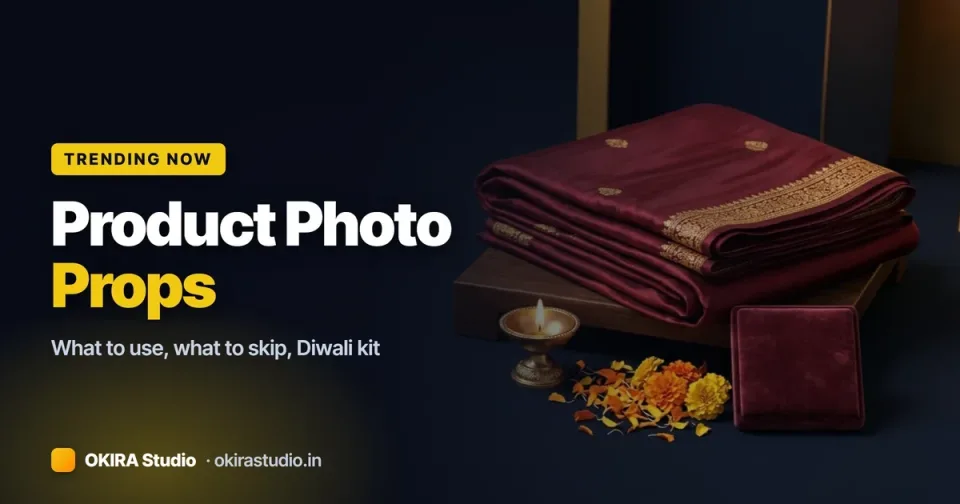
- Diya and marigold corner: a few lit diyas and loose marigold flowers, out of focus behind a saree, jewellery box or gift hamper.
- Rangoli floor: a simple rangoli kept soft and blurred under shoes, bags or home decor.
- Warm fairy-light bokeh: string lights far behind the product, shot with portrait mode, for a golden glow.
- Brass and silk: a brass thali or a folded maroon and gold silk dupatta under earrings, bangles or a watch.
- Pooja shelf or wooden table: for diyas, candles, idols, kitchenware and home decor.
- Fresh pastels: mint, peach or lilac for Gen Z kurtis and co-ord sets. Everyone else is using red and gold, so this stands out in a crowded feed.
The main image stays white; festive sets start at photo 2.
Background props for product photography
Use one hero product plus one or two props, and keep props smaller, duller and further back than the product. If a prop could be mistaken for part of what you are selling (a dupatta next to a kurti that comes without one, for example), leave it out. Amazon does not allow props that are not part of the purchase in the main image at all.
Backdrop for product photography: paper, cloth, board or wall?
Your backdrop for product photography is the material behind and under the product. Each option has a clear use:
- Paper roll: the smoothest finish, with no wrinkles or texture. White rolls on Indian studio shops like studiobackdrops.com are listed between about ₹3,300 and ₹8,000 depending on brand and width. The bottom gets dirty, so you tear off and cut that part as you go.
- Cotton or muslin cloth: cheaper, foldable and washable. Good for clothes and big items, but wrinkles show, so steam it first.
- Foam board, sunboard or chart paper: very cheap and perfect for small products like jewellery, cosmetics and phone cases. Two boards make a floor and a wall.
- Vinyl or PVC sheet: wipeable, so it is good for food, cosmetics and shoes that leave marks. It can reflect light, so angle your lights.
- Light box: a folding box with built-in lights. Great for small items, too small for clothes.
Backdrop for product photography DIY on a small budget
A good backdrop for product photography DIY setup needs no special gear. Put a table next to your biggest window, clip or tape a white bedsheet or two chart sheets to a chair back behind it, and let it curve onto the table. A second white chart sheet on the opposite side of the window acts as a free reflector to soften shadows. For clothes, hang the sheet from a curtain rod and run a second one along the floor. Iron both: a wrinkled white sheet looks worse than a plain grey wall.
Background for product photography AI: when it beats a real backdrop
AI tools now do more than remove a background. You upload a plain product photo, the tool separates the product, places it on a new scene, and adds matching light and shadows. Some tools, like the OKIRA AI catalogue generator, can also put clothes on realistic AI models. A background for product photography AI setup makes the most sense when you have many SKUs, need white plus festive versions from one photo, have no space for a set, or must fix a rejected listing today.
Where to be careful: AI can shift colours, smooth out embroidery or change the shape of a product. That is a returns problem, because the buyer gets something that does not match the photo. Always put the AI image next to the real product in daylight and check colour, pattern, zari and fit before you upload.
Also note Google's rule: AI-generated images must keep the metadata that marks them as AI-made, such as the IPTC DigitalSourceType field. Do not run them through apps that strip this data before uploading to Google Merchant Center.
White background product photography app vs AI catalogue tool
A white background product photography app (a background remover) cuts the product out and puts it on white, which is enough for simple products like a bottle. An AI catalogue tool also builds the scene, the lighting and, for clothes, the model. OKIRA is built for this job for fashion and lifestyle sellers. You upload a plain phone photo and it generates backdrops, studio lighting and AI models, with 4K exports meant for Meesho, Amazon, Flipkart and Instagram, and you can make many looks from one photo.
Background for product photography free options
The best free option is still a white wall or sheet next to a window. You can also find free background images for product photography on stock photo sites, but check the licence for commercial use, and know that pasting a product onto a stock image looks fake unless the light direction and shadows match. Many AI tools also have free trials; OKIRA's homepage currently lists a 7-day free trial with 100 catalogue image generations, which is enough to test a full festive range.
Worked example: one Banarasi silk saree, four backgrounds
Say you sell a maroon Banarasi silk saree with a gold zari border on Amazon, Flipkart and Instagram. Here is how one shoot becomes a full listing set, with a different background doing a different job in each photo.
- Base photo: fold the saree with the pallu fanned out on a white bedsheet curve, next to a window around 11 am. Phone on a stack of books, straight above. Take 5 or 6 shots and keep the sharpest.
- Main image (Amazon and Flipkart): clean the background to pure white, crop so the saree fills about 85% of the frame, no props. Export at 2,000 x 2,000 px JPEG.
- Photo 2, zari close-up: lay the border on black velvet and light it from the side. The gold threads glow and the buyer sees the quality.
- Photo 3, draped look: the saree worn on a model against a soft beige backdrop, so the buyer sees the drape and length. This is where you either book a model or use an AI model.
- Photo 4, festive scene for Instagram and WhatsApp: the folded saree on a wooden table with two lit diyas and marigolds behind it, warm light.
- Final check: hold the real saree next to your screen in daylight. The maroon, the zari pattern and the border width must match in every version.
Without AI, photos 3 and 4 mean a model, a set and half a day of shooting. With an AI tool, you make them from the base photo and spend your time on step 6. Either way, the white main image is non-negotiable; the other three are where the saree sells.
Product photoshoot background costs in rupees
Here is what each route really costs, from cheapest to most flexible. Prices change, so treat these as today's ballpark.
| Option | What you pay | Best for | Watch out for |
|---|---|---|---|
| DIY (white sheet, chart paper, window light) | Almost nothing, mostly things you already own | New sellers, small catalogues, small products | Off-white results, needs editing, depends on weather |
| Paper backdrop roll | About ₹3,300 to ₹8,000 for a white roll (stand extra) | Regular home shoots of clothes, bags, shoes | Needs space, bottom gets dirty |
| Studio or freelance photographer | Roughly ₹75 to ₹300 per image in Delhi or Bangalore, less in Tier-2 cities (eChai Ventures estimate) | Model shots, big launches, premium brands | Booking time, every reshoot costs again |
| AI catalogue tool | OKIRA Gold is listed at ₹1,250 per 30 days with unlimited catalogue image generation (see OKIRA pricing for the current plan) | Many SKUs, festive variants, white plus lifestyle from one photo | You must check every image against the real product |
A quick example: 50 products with 5 images each is 250 images. At ₹75 to ₹300 per image, a studio costs ₹18,750 to ₹75,000 for that one catalogue. A home white setup plus an AI tool for the lifestyle and festive versions costs a fraction of that. The studio still wins for hero campaign shots.
Common product photography background mistakes (and fixes)
- Grey "white" background: light the backdrop separately and check the corners with a colour picker before uploading.
- Wrinkled cloth: steam or iron it, or switch to a paper roll or foam board.
- Busy patterned bedsheet: it pulls the eye away from the product. Use a plain surface; one or two props at most.
- Props in the main image: Amazon does not allow props that are not part of the purchase. Move them to later photos.
- Different backgrounds across one catalogue: pick one look per range so your store looks like a brand, not a jumble sale.
- Floating product after a cut-out: add a soft shadow under it.
- AI changing the product: compare with the real item in daylight and regenerate if colour or details shift.
Choosing your background for product photography before the Diwali rush
The right background for product photography is simple once you split the job: pure white for the main marketplace image, and a clean, on-brand or festive background for everything else. Pick the colour by product, keep props few, and check the rules for your category before you upload a whole range.
Your next steps this week:
- Set up a white curve next to a window and shoot your top 10 festive products.
- Check every main image with a colour picker and crop to about 85% fill.
- Plan one dark close-up and one festive scene per product for photos 2 to 4.
- If you have many SKUs or no space for sets, test an AI tool on 5 products and compare the results with the real pieces.
For more how-tos on catalogue shoots, sizes and marketplace images, browse our catalogue photography guides.


Comments
No comments yet — start the conversation.